
A safer digital life starts
together.
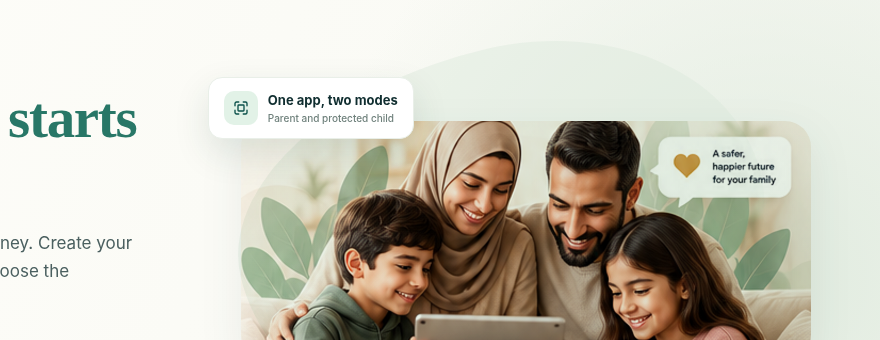
One family account, one app and a clear setup journey. Create your parent account, connect your child's device and choose the boundaries that work for your family.
From sign-up to everyday peace of mind.
Five clear stages make the first setup easier to understand. Every family and device is different, so we explain what to expect so you can configure protections smoothly.
Create a Parent Account
Register your email, establish master parent PIN, and verify your account.
Choose Protection
Select Starter, Family, or Premium plan with secure Stripe billing.
Add Your Children
Set up child names and ages for smart, age-appropriate default settings.
Pair Their Device
Install app on their phone or tablet and scan your parent QR code.
Stay Connected
Enjoy peaceful bedtimes, automated arrival alerts, and check-ins.
Designed for parents. Clear for children.
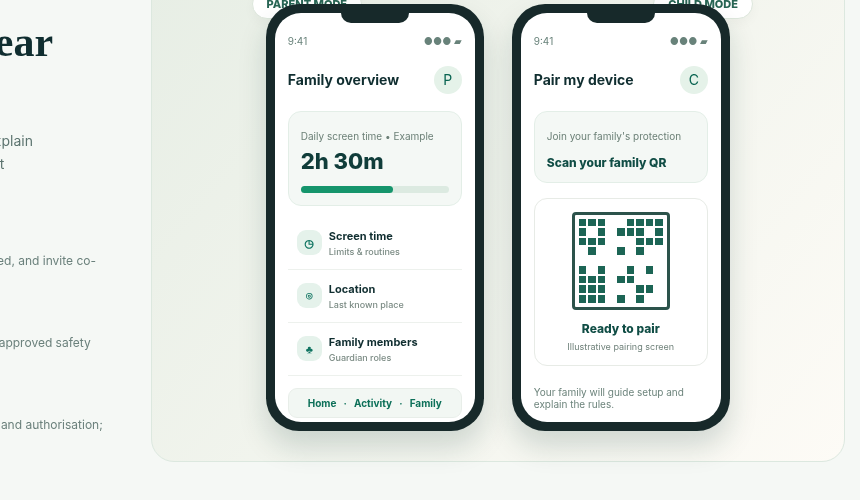
Unlike legacy parental tools that hide in the background, Hayat Family gives both parents and children a tailored, transparent interface within the same official app.
Full dashboard oversight to schedule bedtimes, approve app extensions, and view safe places.
Displays remaining daily allowance, transparent agreements, and instant SOS/Check-In buttons.
Everything parents should know before they begin.
Practical details on permissions, platforms, billing and technical boundaries.
Set up the right permissions
Device permissions enable core protections like screen lockouts and web filtering. Our in-app guide assists you step-by-step.
Android and iOS are different
Operating systems apply restrictions differently. Android uses accessibility rules, while iOS works through Apple Screen Time APIs.
Plans managed through Stripe
Transparent monthly or annual plans. Upgrade, downgrade or cancel anytime directly in your account dashboard.
Help stays within reach
Browse our Help Centre setup guides or reach our family support team whenever you have questions.
Clear rules. Clear permissions. Shared understanding.
Hayat Family is designed to help parents guide their children with transparency, rather than hidden surveillance. Parents control access; children can understand the family rules and supported safety tools.
Before Subscribing
Check compatibility and verified device capabilities. Knowing how your specific phone models operate ensures a smooth onboarding experience.
View Supported Devices →Questions Worth Answering First
Parents should know what to expect from setup, permissions, family roles and subscriptions before they commit.
Do parents and children install the same app?
Yes. Both parent and child download the official Hayat Family app. On your phone, you sign in as a Parent. On your child's phone, you select "Pair as Child" and scan your parent QR code to activate child companion mode.
Can two parents manage the same child?
Yes. You can invite a co-parent or legal guardian from Family Settings. They will receive an email invitation to manage schedules and view arrival alerts from their own phone.
Will every restriction work identically on Android and iPhone?
Operating system architectures differ. Android supports granular app lockouts and usage tracking via Accessibility Services, while iOS uses Apple's official Screen Time API and configuration profiles.
How are paid subscriptions managed?
Subscriptions are processed securely via Stripe. You can update payment cards, view VAT receipts, or cancel your renewal anytime with zero penalty directly in your Account Dashboard.
Does Hayat Family include its own calls or screen sharing?
No. Hayat Family focuses on safety boundaries, schedules, and communication check-ins (SOS, Check-In, Pick Me Up). It does not include private messaging, video calling or intrusive live screen casting.