
When safety matters,
know what to do.
Practical guidance for everyday check-ins, family safety alerts, and moments when your child needs you. Understand the tools available.
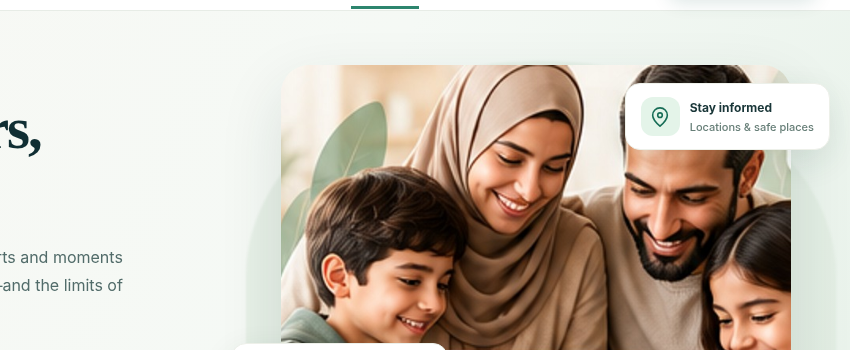
The right information, at the right moment.
Hayat Family brings authorised device, location and safety information into the parent experience—so you can respond thoughtfully, not reactively.
Three Ways to Stay Close When It Counts
These features are designed for communication and family reassurance. Their delivery depends on device connectivity and granted permissions.
Emergency SOS
Help your child trigger an urgent alert quickly when they feel unsafe. It notifies all authorized parents' lock screens immediately with GPS location.
- Child presses and holds the red SOS button.
- Instant notification is sent to parents' phones with live coordinates.
- Does NOT replace emergency calling (999/911/112).
One-Tap Check-In
Makes it effortless for children to let parents know they have arrived safely at school, sports practice, or a friend's house without typing.
- Child taps the green Check-In button.
- App tags timestamp and confirmed location.
- Parent receives a gentle "Safe Arrival" banner.
Pick Me Up
Gives a child a simple, dignified way to ask for a ride or collection when plans change, practice finishes early, or weather turns.
- Child taps "Pick Me Up" in the companion app.
- Child's current address or map pin is shared.
- Parent taps "On My Way" with an estimated arrival.
Know When a Device Needs Attention
Protection status should reflect real device capabilities. Understand what status indicators mean in your parent app.
All device accessibility or Screen Time profiles are healthy. Bedtime routines, web filtering, and screen limits are actively enforced.
Location access was changed to "While in Use" or disabled on the child device. Prompts guidance to restore "Always Allow" for safe places.
The device hasn't reported telemetry in 2 hours or battery is below 10%. Local device screen limits continue operating without interruption.
Your Family Safety Setup Checklist
A little preparation helps everyone know what to expect. Review these 6 practical steps with your child.
Pair Each Child Device
Scan the secure QR code from your parent screen and configure PIN protection.
Review Permissions
Verify Accessibility, Screen Time, and Location services are enabled.
Agree on Safe Places
Create geofences for Home, School, and Relatives for automated arrival alerts.
Choose Family Contacts
Invite co-parents and designate which guardians can receive SOS notifications.
Practise Check-In
Have your child tap Check-In so both of you see how fast confirmations arrive.
Talk About Emergencies
Remind your child that 999/911 should always be dialed if they are in physical danger.
Clear Answers Help Families Feel Prepared
Does the SOS button contact the police or emergency services automatically?
No. Hayat Family transmits the alert directly to authorized parent and guardian devices registered in your account. The app does not dispatch public emergency services. If immediate physical intervention is required, call your local emergency number (such as 999, 911, or 112) immediately.
Can my child use Check-In or SOS during scheduled bedtime lockout?
Yes. Critical family communication tools (SOS, Check-In, and emergency parent calling) remain accessible on the child device even during scheduled bedtime lockouts or when daily screen time allowances have run out.
What happens if my child is in an underground area without mobile signal?
If there is no network connection, the child's device will queue the Check-In or SOS event locally and transmit it immediately once a cellular or Wi-Fi data signal is re-established. Parents will see the original timestamp of the action.
Can a child trigger an accidental SOS?
To prevent false alarms in pockets or backpacks, triggering the SOS requires pressing and holding the alert button for 3 continuous seconds. If triggered accidentally, the child can tap "Cancel / I'm Safe" within 10 seconds.
Build a Safer Family Routine Today
Set up your family agreements, safe place alerts, and emergency tools with Hayat Family.
Get Started with Hayat Family →